
Online Classes, Workshops &
Presentations
by Jayne Cravens
Online Classes, Workshops &
Presentations
by Jayne Cravens



I can also participate in asynchronous (not live) online events, such as teaching an online course or moderating or facilitating a bulletin board for a set period (a week, a month, whatever).
If all participants will be in one room together, you have two options for my presenting. In either case, for me to do an online consultation with your onsite group, you need:
Logistics For Presenting Online
I have a built-in web cam and a built-in microphone (though I prefer to use a headset or clearer audio). I can use most standard web conferencing software, such as such as Zoom (my preferred way), ReadyTalk, WebEx, or GoToMeeting. However, your organization would be responsible for having an account with whatever platform you want me to use, if there isn't a free version, and paying whatever subscriptions are associated with the account, tech support for the event, etc.
I am fine with software where I share my desktop (and presentation) - hence why I prefer Zoom. However, I will provide the slides from my presentation the day before the event, so that you can have them uploaded to your own computer, in case there is a tech glitch and I am unable to share my desktop.
I like to do a tech test one or two days before the live event, to ensure all of our systems work.
I like to login to the webinar 20 minutes early to ensure all tech is working - especially audio.
I can present webinars where everyone is in different locations, viewing and listening to the webinar via their own computer systems, or where participants are in one room together (the latter is preferable).
If all participants will be in one room together, you have two options for my presenting. In either case, for me to do an online consultation with your onsite group, you need:
an EXCELLENT sound system that you test well beforehand to ensure that everyone in the room will be able to hear me
a way to beam an image from a computer onto a screen or wall, one that allows participants to EASILY, clearly see the information from the computer screen.
Here are your two options for a group that will be all onsite together:
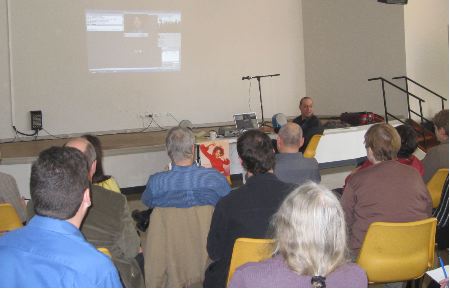
Scenario #1: The No Internet option:
You have me call into a conference call number (you must make all arrangements and pay all fees associated with such, if any), and have the equipment needed to project my voice to the entire room.
You have my presentation on the computer you are using in the room, and someone at the computer ready to forward or reverse slides, as needed.
You have a moderator who can be in charge picking people in the audience who can speak with their questions, who can interrupt me as needed, etc.
Scenario #2: The Internet option:
You must have fast, constant Internet access.
It's wonderful to be able to see participants who are asking questions - and that requires a web cam on your part - but it's not absolutely necessary.
Information on my pricing for online (and onsite) workshops here.
There are free online workshops by me, which you can view any time on YouTube, on a variety of volunteer-related subjects.
For a primer on virtual volunteering, I have five videos that, in less than one hour, create a basic training regarding virtual volunteering - in using the Internet to involve and support volunteers. The videos are focused on staff - employees or volunteers - who are responsible for recruiting and supporting volunteers at nonprofits, NGOs, charities, government programs and other mission-based initiatives. Altogether, these videos cover developing initial online roles and activities for volunteers, how to rapidly engage online volunteers, how to expand virtual volunteering, how to adjust policies, how to address safety and confidentiality, the importance of keeping a human touch in interactions, addressing the most common questions and resistance to virtual volunteering and much, much more.
There are also older these videos I've done for other organization, each 45 - 60 minutes long:
Shorter presentations (all these and more are on YouTube on my channel's training playlist):
Even more of my online presentations available for your viewing:
Virtual Volunteering as An Avenue for Employee EngagementIn this 2014 webinar for TechSoup, myself and Kaye Morgan-Curtis of Newell Rubbermaid talk about how for-profit companies/corporations are leveraging virtual volunteering to engage employees who might not have otherwise been able to participate in employee volunteering programs. This was via YouTube.
The
Right Way to Engage Online Volunteers
In this 2014 webinar for VolunteerMatch, I discussed the how to best
involve online volunteers in your organization's work. How can you create
a great online volunteer opportunity? What are the best ways to support
online volunteers? How should you be tracking the impact of your online
volunteers? Attendees accessed the webinar via their own laptops, and were
geographically dispersed (they weren't all in a room together). This was
via ReadyTalk.
Social
Media for Volunteer Managing and More
In this 2011 webinar for TechSoup, I and Erin Barnhart discuss tips and
strategies for effectively using social media to find, communicate with,
and build community among volunteers. Attendees accessed the webinar via
their own laptops, and were geographically dispersed (they weren't all in
a room together). This was via ReadyTalk.
30-minute Q & A via live video with students at the Global Business Education and Social Justice Institute, part of a special program at the School of Management and Business at St. Edward's University, Austin, Texas. March 2009. Students were all in a room together.
in May 2008, I presented live via iVisit, a free online video tool, from my home in Germany for the Northern Volunteer Managers Forum (for volunteer managers in the Northern suburbs of Adelaide) in Australia, and again in December 2008 for the Annual Congress for The Office for Volunteers in Adelaide, South Australia. Both online gigs were coordinated by Andy Fryer in Australia.
Taught an online module regarding online volunteering via an online bulletin board (asynchronous/not live) as part of graduate classes at the Lyndon B. Johnson School of Public Policy at the University of Texas at Austin in 2004, and part of the class Volunteer Program Planning and Evaluation for the University of North Texas, 2001, 2002 and 2004.
Presented live online for Pro Bono Net in February 2003, via WebEx (going through a PowerPoint presentation) and via phone (all participants could hear me as I went through the presentation on their own computers). This was for participants in its www.lawhelp.org initiative.
Presented live for the InterAction ICT Initiative, via phone and online for D.C.-based office and participants across the U.S., January 2003 (each participant downloaded the presentation prior to the call, and went through it on their own computer desktops while listening to me on the phone).
NetAid, via phone and online, for NGO representatives from former CIS states, March 2003 (the office downloaded the presentation prior to the call, and beamed it on a large screen for all onsite participants to view, and had a speaker phone set up so we could all talk to each other; an onsite translator was present onsite at the audience's location as well).
Volunteers and Technology, and Gender and the Digital Divide, two asynchronous (not live) online events/ongoing discussions) for TechSoup, 2002 & 2003.
Live Web Event, with presenters in Germany, Jordan, Seattle and Geneva, for United Nations Volunteers, October 2001. This was done via RealPlayer and video conferencing software. This two-day event also featured Tim Berners-Lee, who credited his creation of the Web to the contributions of online volunteers.
View my public calendar to see when I am booked and when I am available.
my consulting
          services | about Jayne Cravens | return
          to home page |
contact me | linking
to or from these pages